Basic Networking
In class, we learned some basic networking, but I didn't understand, so I watched
a very brief overview of basic networking.
Here's my sketch of what I learned:
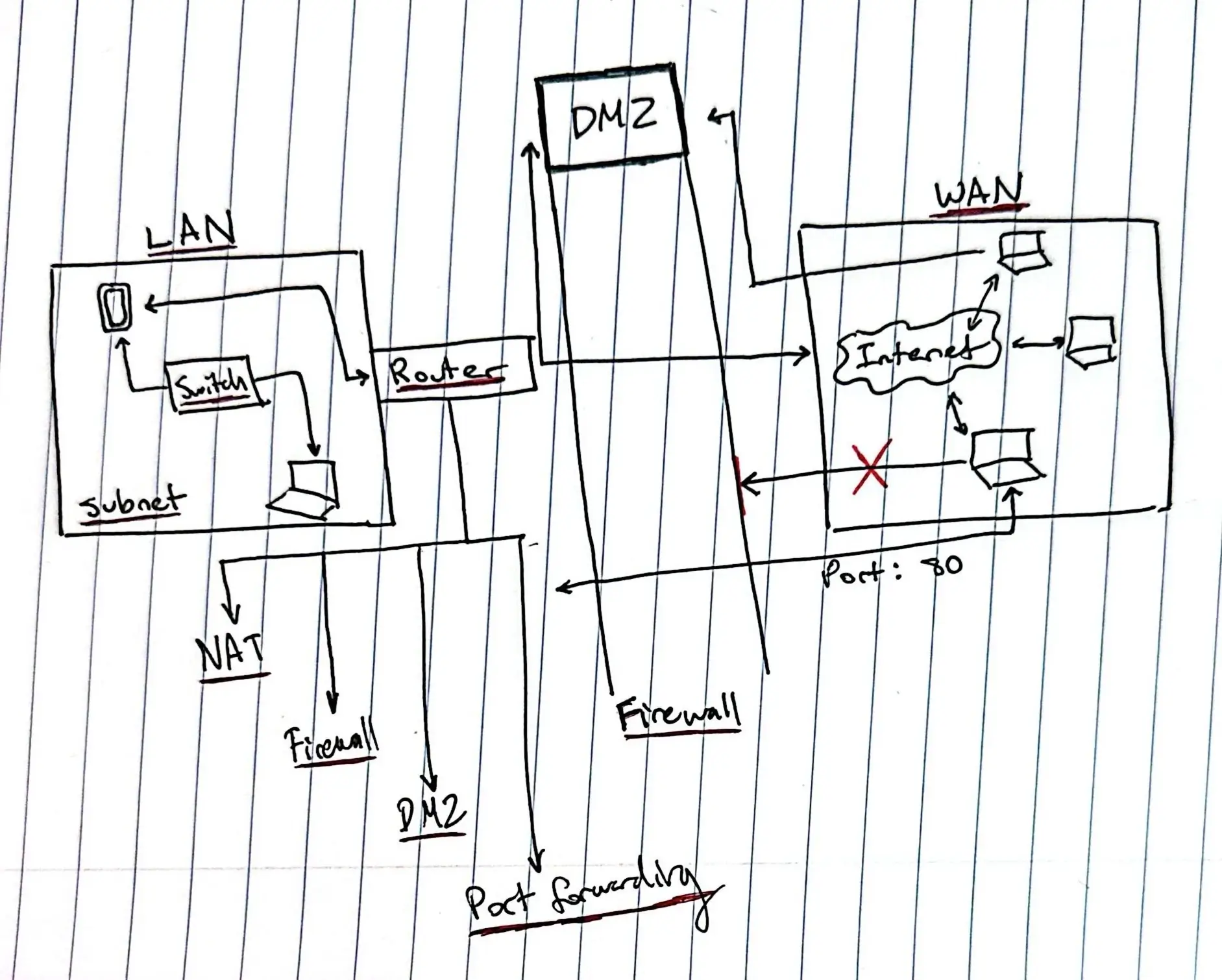
This is my basic understanding:
IP Address - An identifying address for every specific device on a computer network used to send packats to and
from the device using IP
A LAN is a physical network of set devices that can intercommunicate in a limited proximity.
> The switch allows devices in the computer network (like a LAN) to communicate to each other.
> A subnet sits within a computer network and defines the range of IP addresses of a LAN.
>> Ex. Subnet fixes the range to 192.168.x.x, any device in this range is potentially in the LAN
Computer: 192.168.1.15
Subnet: 255.255.0.0
Printer: 192.168.1.15
A router helps forward packets to different computer networks (e.g. Internet, WAN, etc...).
> Ex. If my phone wants to connect to the internet, my phone has to send a request to the router,
the router translates the private IP address to a public IP address with NAT, the internet responds
to the public IP address, and the router sends it to the private IP address.
> NAT translates an internal, private IP to apublic IP that can be used for communication
> A Firewall seperates computer networks and prevents unauthorized access with set rules.
Two types of controlled inbound communication that are allowed by the firewall:
DMZ - A seperate network zone b/twn the LAN and the internet that allows external devices to communicate
with internal devices without direct access to the internal LAN.
Port Forwarding - External devices communicate with internal devices by sending packets through
a specific port of that particular device inside the LAN.
HTML and CSS
This week we learned some HTML and CSS, so I go have the basics down of web development. Although, I have problems gettings my style.css to link to my .html files on Sublime, so I have been during internal CSS instead. Good thing I switched away from inline CSS because that is a pain for organization and getting back into my code. My goals for web development is to use more external CSS in the future to utilize class and id functions. Later, I also want to get Javascript down to make my website my interactive.
Terminal
Kind of new to using the terminal and all with my only experience being the 1 week I used Linux, and now I am back on Windows. The Terminal isn't too hard to understand after learning most of the fundamental commands, but the fact that some of the commands are different in Windows makes it slightly annoying to switch between the two ways to write a command.